
Ask for access to a system
Access to a system comes from groups. The portal can send a request for a group to your company’s entitlement system (IGA), and shows the status. The entitlement system approves or rejects the request, not the portal.
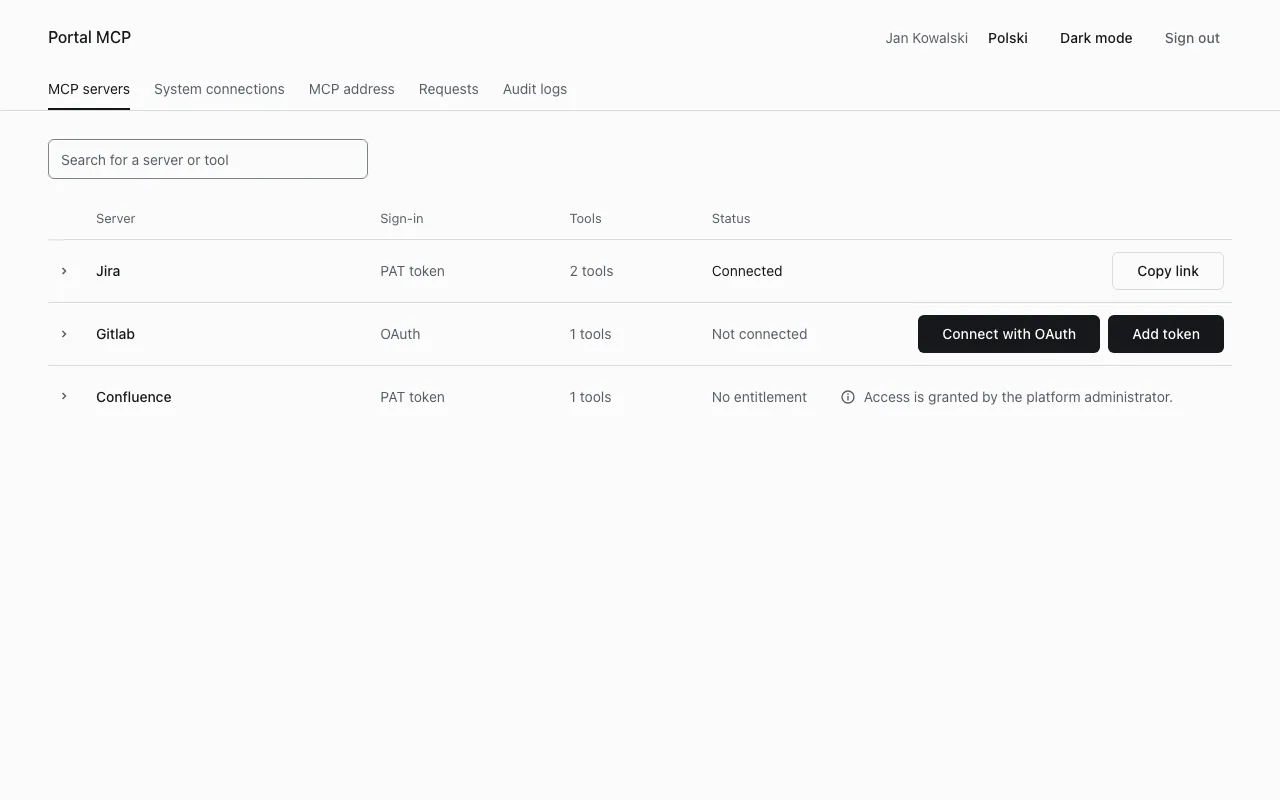
Whether you can file requests in the portal depends on your installation. If the entitlement system does not take requests (the platform bundle ships a catalog of groups without a request workflow), the page has no Submit request button and the MCP servers page says “Access is granted by the platform administrator.” Ask your administrator for the group instead. The group names are in Tools and access groups.
File a request
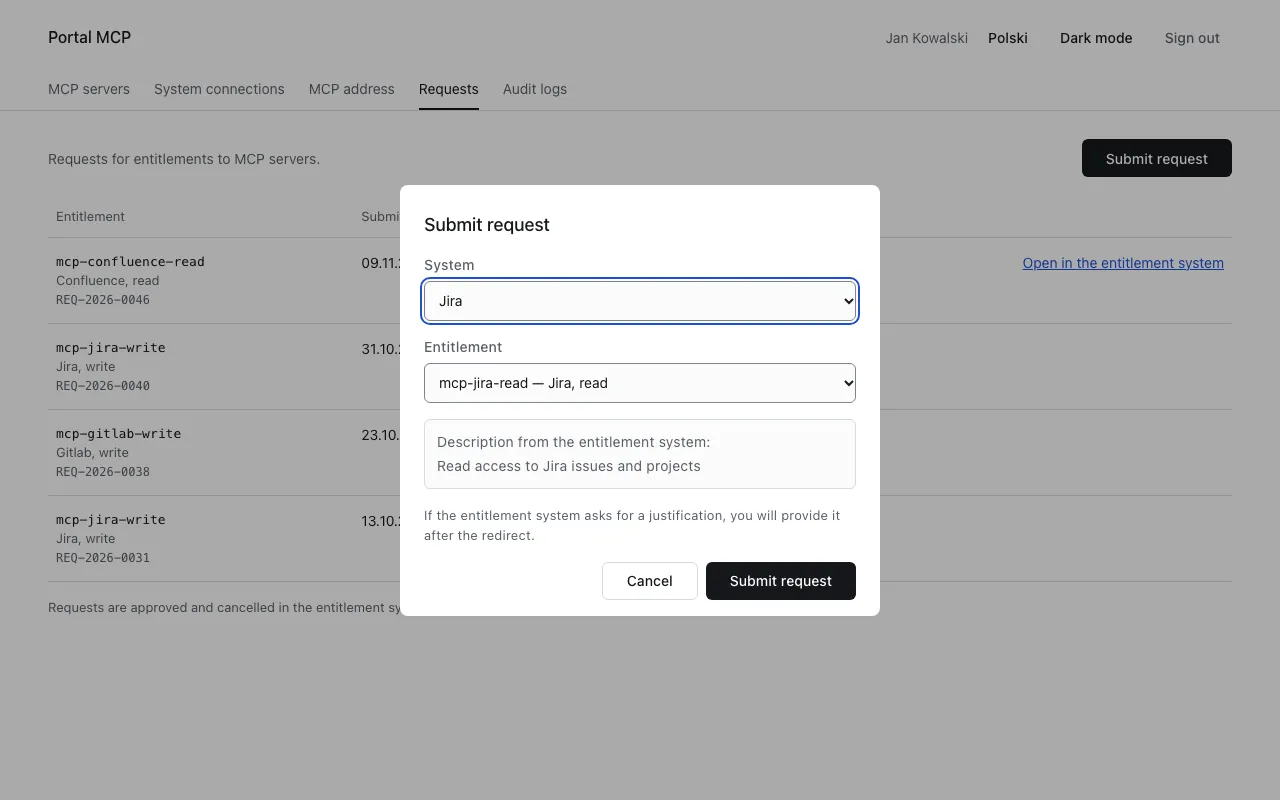
Section titled “File a request”- Open Requests and select Submit request. The same button appears next to a system without entitlement on MCP servers and System connections.
- Choose the System.
- Choose the Entitlement. The portal shows its description from the entitlement system. If the system has no entitlement you can request from the portal, the dialog says so.
- Select Submit request.
Then one of two things happens:
- The portal opens the form of the entitlement system. Fill it in, including the justification if it asks for one.
- The portal shows “Request” followed by the request number and “submitted”, and the request appears on the list.
If a request for the same entitlement is already pending, the portal shows the number of that request and files no second one.
Follow the status
Section titled “Follow the status”The Requests page lists your requests, newest first.
| Column | Content |
|---|---|
| Entitlement | the group name, its title and the request number |
| Submitted, Decided | dates |
| Status | Pending, Approved, Rejected or Cancelled |
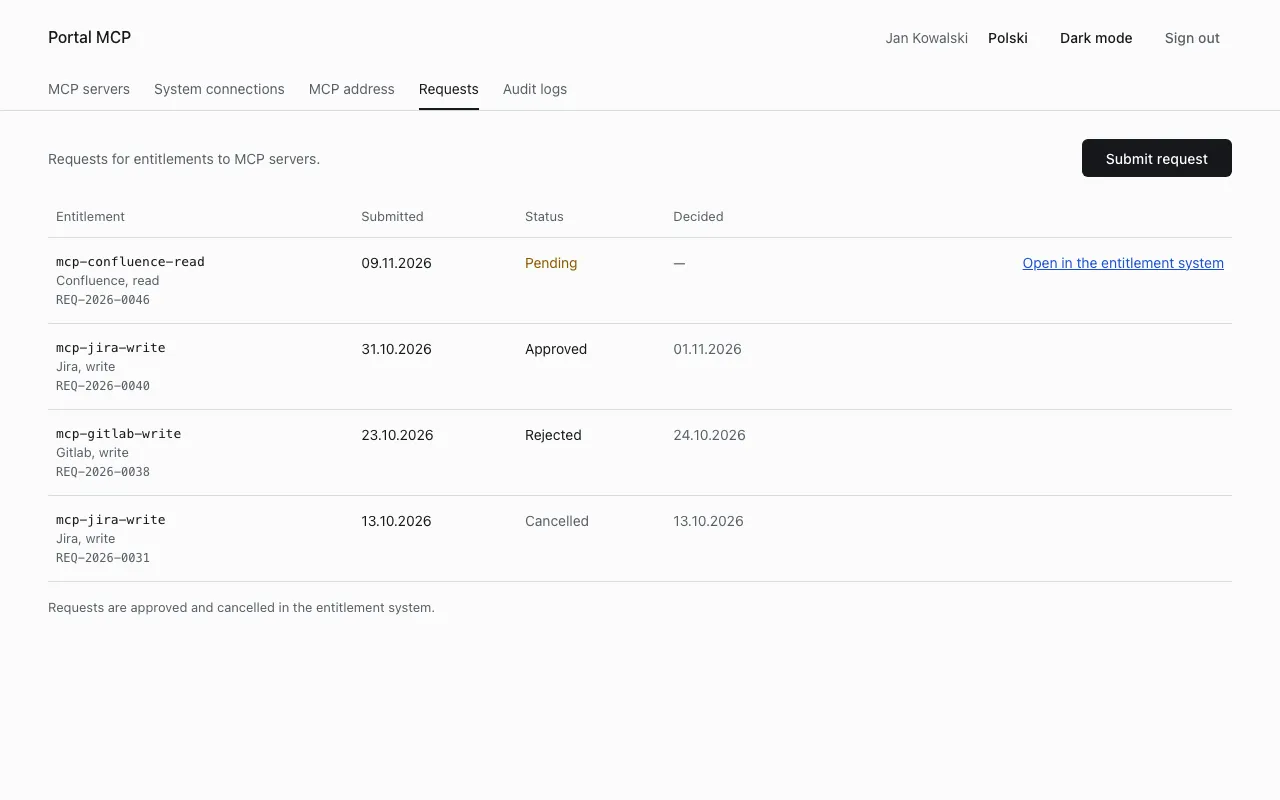
Open in the entitlement system opens the request there. Cancel a request there too: the portal cannot cancel it.
On System connections a system with a pending request shows “request pending”.
After the approval
Section titled “After the approval”The new group reaches the platform with your next token. Sign in again in Claude Code (/mcp), or wait until the client renews its token. Then connect your account if the system needs it: Connect your account.
Problems
Section titled “Problems”| Message | Cause | What to do |
|---|---|---|
| The service is temporarily unavailable. | the entitlement system did not answer | try again later |
| This system has no entitlements you can request from the portal. | the entitlement system offers none for it | ask your administrator |